From job URL to hired
in 5 minutes.
Three steps. No copy-pasting, no formatting hell, no second-guessing. ResumeCommand handles the strategy so you can focus on the conversation.
Watch the full walkthrough — upload, extract, tailor, export.
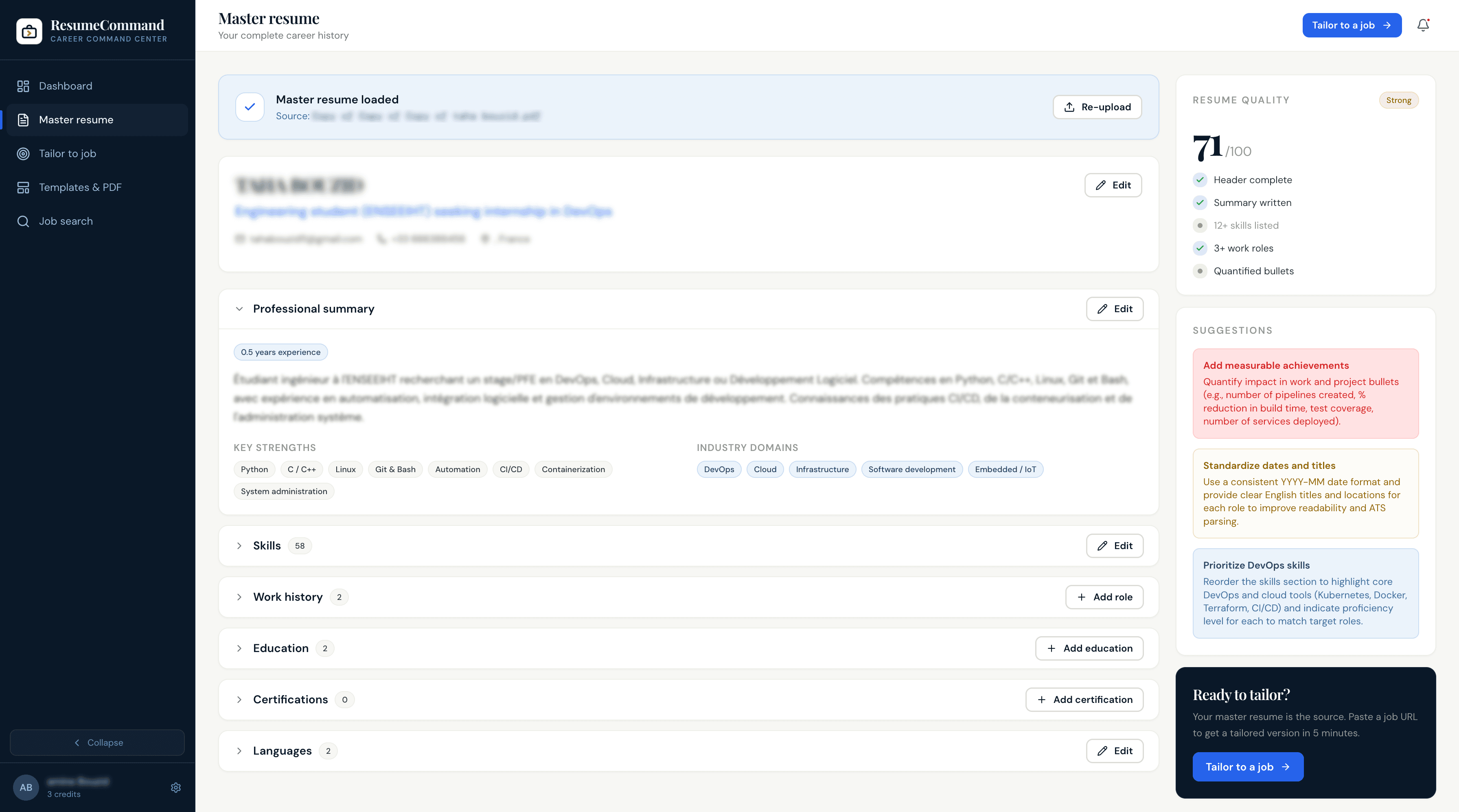
Build your master resume once.
Upload your full career history — every role, skill, project, and achievement — and ResumeCommand treats it as your source of truth. You only need to do this once. Think of it as a professional inventory that you draw from, not a document you keep rewriting.
- Include everything, even if it feels like too much
- Upload PDF or DOCX, or paste plain text
- Update only when you add new experience
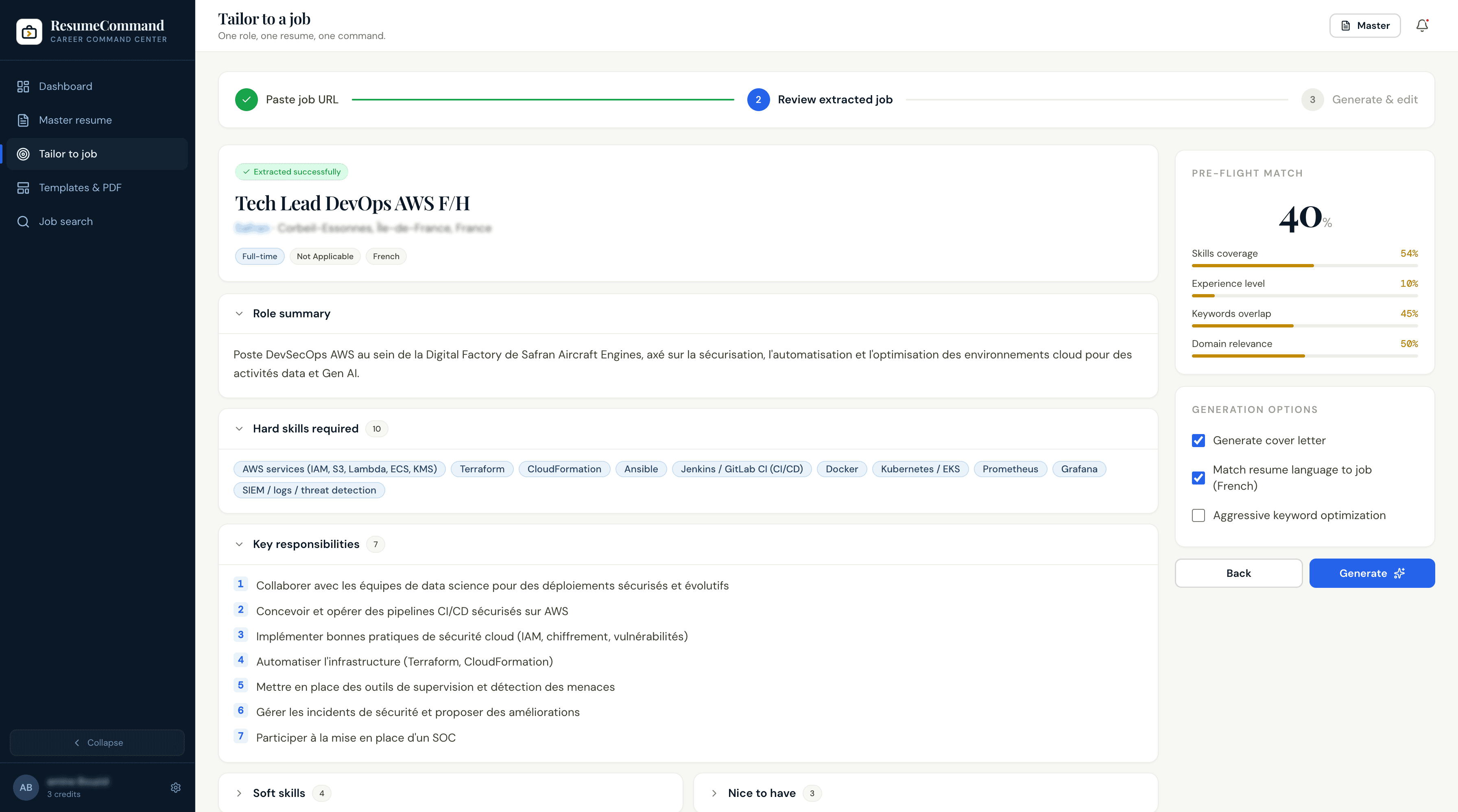
Paste any job posting URL.
Paste a link from LinkedIn, Greenhouse, Lever, Workday, or any other major job board. Our extraction engine reads the full posting, identifies required skills, preferred qualifications, and company tone — then prepares a tailored version of your resume in minutes.
- Works with all major job boards
- Extracts skills, keywords, and seniority signals automatically
- Paste the job text directly if the URL is behind a login
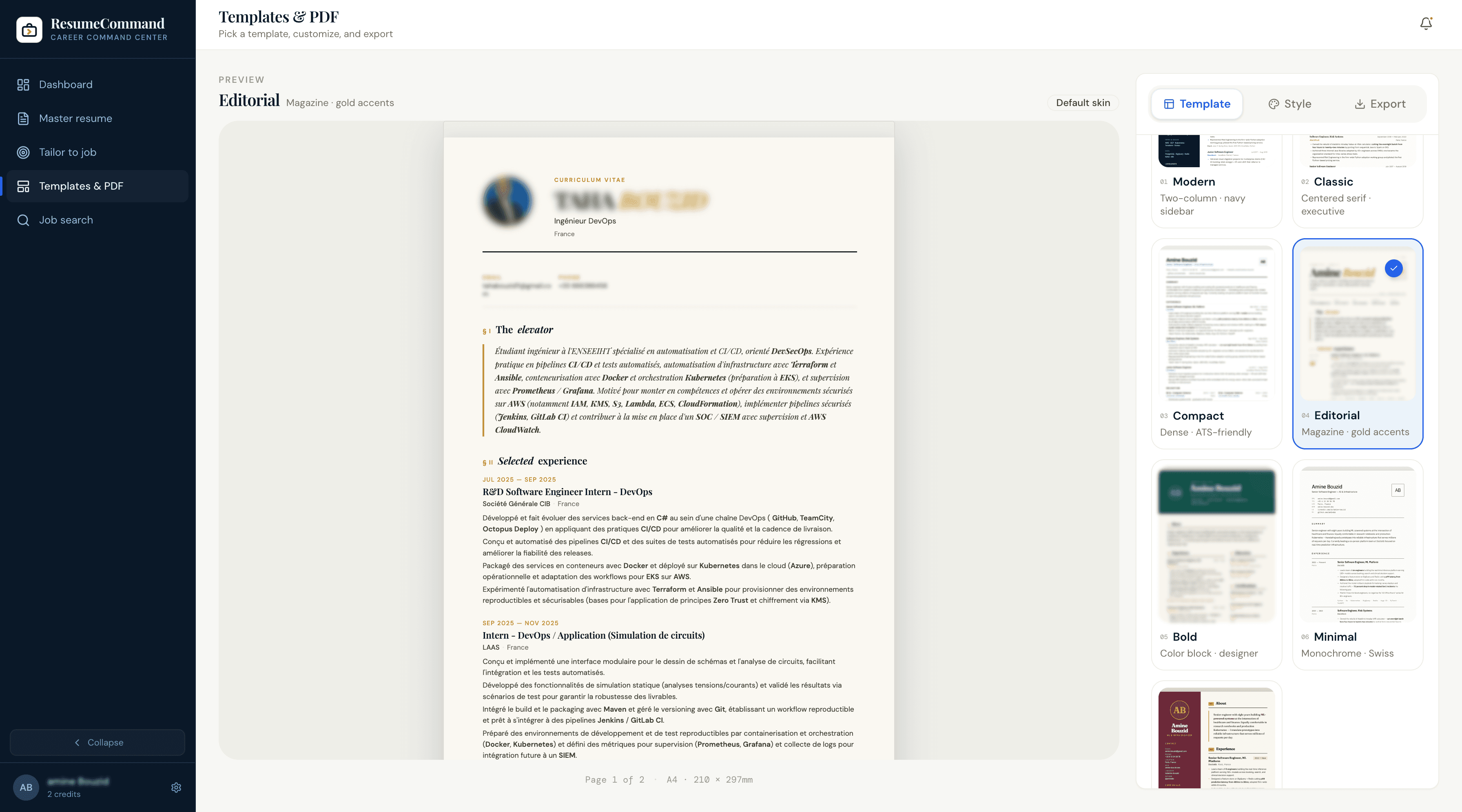
Review, edit, and export.
Your tailored resume is ready in under 5 minutes. Every change is tracked — you can see exactly what was adjusted and why. Make any final edits, pick a template, and export to PDF or DOCX in one click. Every version is automatically saved to your application tracker.
- PDF export — clean and ATS-safe
- DOCX for custom formatting
- Shareable link for quick submissions
Common questions
How long does tailoring take?
Usually under 60 seconds. Complex roles with many requirements may take slightly longer, but you will always see a progress indicator.
Do I need to update my master resume often?
Only when you genuinely want to add new roles or skills. Most users update it once a month or less. The AI works with whatever you have.
What if the job URL is behind a paywall or requires a login?
Paste the job description text directly into the text input. ResumeCommand accepts both URLs and raw text — whichever you have access to.
Does ResumeCommand rewrite my resume from scratch?
No. It selects and reorders content from your master resume to match the role. Your words, your experience — optimized for the specific job.
Your career,
under command.
Start free. No credit card. Your career, under command in 10 minutes.
Take command →